Quarterly Product Notes - Q4 2025 for Essentials
Helping You Better Help Your Customers
Assignable notes with Needs Response, Alerts, and To-Do Views
Notes can now be marked as "Needs Response," assigned to teammates, and closed when completed. A new page lists all notes needing attention, with in-app alerts for pending items. This applies to notes on Maintenance and Customer Records.
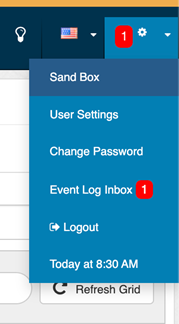
For the employee with an assigned note, a notification is shown:
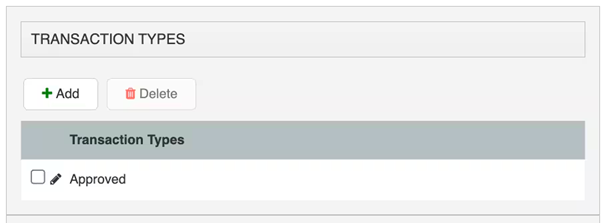
Require a Transaction Type before proceeding (configurable) - You can now require users to select a Transaction Type before creating or updating a transaction. This simple guardrail reduces mistakes, improves consistency, and keeps reporting clean.
Artificial Intelligence Updates
AI Chatbot - Your 24/7 Point of Rental Assistant
AI Support Chat is now available from the right-hand panel in Essentials. Have a quick question? Save yourself the hassle of calling support and ask our knowledgeable new friend.

|
📹 See new Essentials features in action on YouTube 📋 Find all our features in the Release Notes 🎓 Free software training at Point of Rental Academy
|
Your Ideas - Delivered!
✅ Contract: Contact Person Update
You can now update the contact person on a contract without changing the associated customer. The contact person is automatically cleared if the customer is changed to prevent mismatches. Copied contracts will not carry over a contact.
✅ Complaint, Cause, Correction, Maintenance Fields
Maintenance fields now follow the industry standard 3Cs (Complaint, Cause, Correction). Any previously entered notes will now show in the “Correction” field.
eCommerce Updates
Mobile category pages show items again when opened via the hamburger menu
On Storefront 1.0 sites, category pages viewed on mobile via the left hamburger menu appeared empty, even though opening the same category via the icon grid worked. We corrected the mobile navigation path so category items display properly, no matter how you get there. Result: Mobile shoppers can browse categories and see all items as expected, no treasure map required.
Technical Updates
Photo uploads now show clear size and aspect ratio guidance
Upload screens now provide clear guidance on supported aspect ratios, recommended sizes, and restrictions, reducing errors and improving the photo upload experience.
“Set My Prices” from Setup Wizard and Price Sheets
If price sheets aren’t your thing, we’ve made it easy to jump straight to item-level custom pricing. The Setup Wizard and Price Sheets page now include clearer guidance, inline help, and a link to the knowledge base article so you can simply set your prices and move on with your day.
Large Reports Auto-Download as CSV
Reports exceeding 3,000 rows now auto-switch to a CSV download, preventing browser timeouts and slowdowns. A status message and notification are provided when the file is ready. Smaller reports continue to display in-app.
Reports: Customer Search Field
Customer selection in reports now uses a text field instead of a dropdown, improving performance with large customer lists. You can narrow results by entering a name, company, email, or ID; leave blank for an unfiltered report.