Was this article helpful?
Hour Meter History
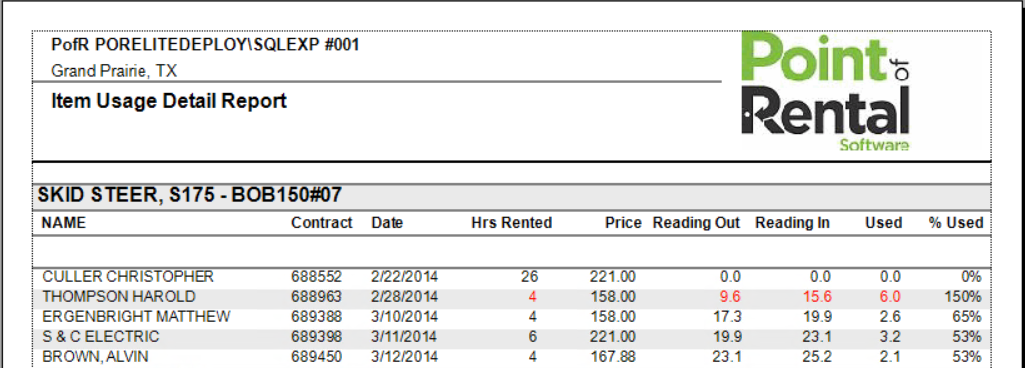
This report will show the usage details of an item.
Report Example
The report will list the Customer, Contract Number, Date, Hrs rented, Price Reading Out, Reading In, Amount Used, and % used.
Getting There
-
Expert: Program Menu > #6 File Maintenance > Item File > Open an item > History (located in the top toolbar)
-
Elite: Configuration gear icon > File Maintenance (under Core Options) > Item File > Open an item > History (located in the top toolbar)